What is Routing ?
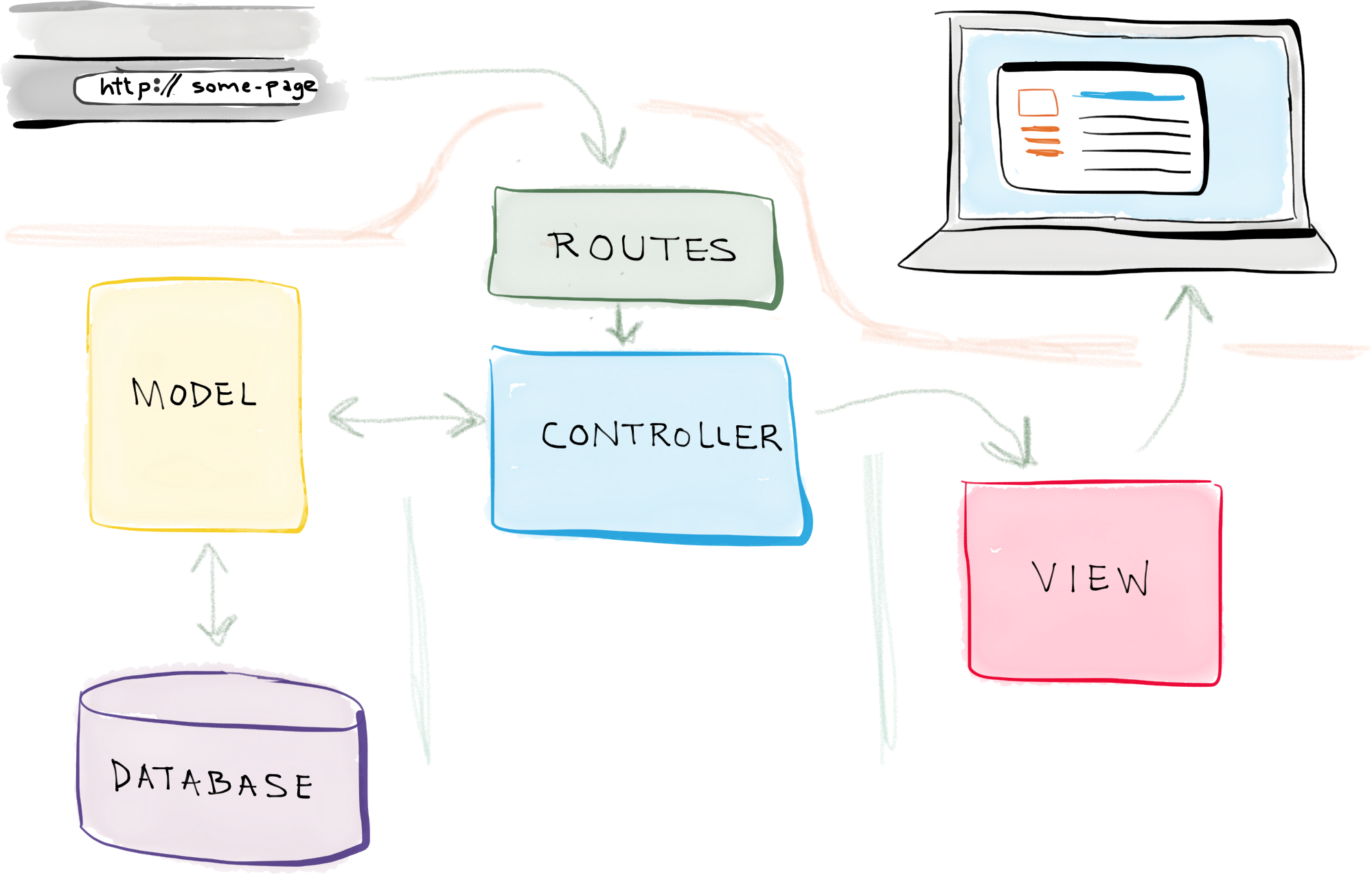
Routing in Laravel is a feature that sends user requests to the correct controller or closure (anonymous function).
Whenever a user types a URL in the browser, Laravel's routing system decides which code should be executed based on that URL.
📁 Where is Routing Defined?
Routing in Laravel is written inside:
routes/web.php→ for web pages (with session, cookies, etc.)routes/api.php→ for API routes (stateless)
🔹 1. Basic Route
Route::get('/', function () {
    return view('welcome');
});
📝 Explanation:
Route::get() → Handles a GET request. You can also use post, put, or delete.
'/' → The URL path (homepage).
function() { ... } → An anonymous function that returns a view.
view('welcome') → Returns a Blade view (like an HTML file with Blade syntax).
💡 Note: Blade files are HTML-like files with a .blade.php extension that support Laravel features.
🔹 2. Route with Controller
First, import the controller (optional if using auto-discovery):
use App\Http\Controllers\HomeController;Then define the route:
Route::get('/home', [HomeController::class, 'index']);📝 Explanation:
This maps /home URL to the index() method in HomeController.
The controller method returns a view or handles business logic.
🔹 5. Named Route
Route::get('/dashboard', [DashboardController::class, 'index'])->name('dashboard');📝 Explanation:
This route is named dashboard.
You can refer to it using route('dashboard') or in redirects.
💡 Named routes make your code cleaner and easier to maintain.
📘 Route Types
| Type | Method | Use Case |
|---|---|---|
Route::get() | GET | To show a page or view |
Route::post() | POST | To submit a form |
Route::put() | PUT | To update a record |
Route::delete() | DELETE | To delete a record |
Route::match() | GET/POST | Supports multiple request methods |
Route::any() | All methods | Accepts any kind of HTTP request |